T-shirt print placement: Review one design across several sizes
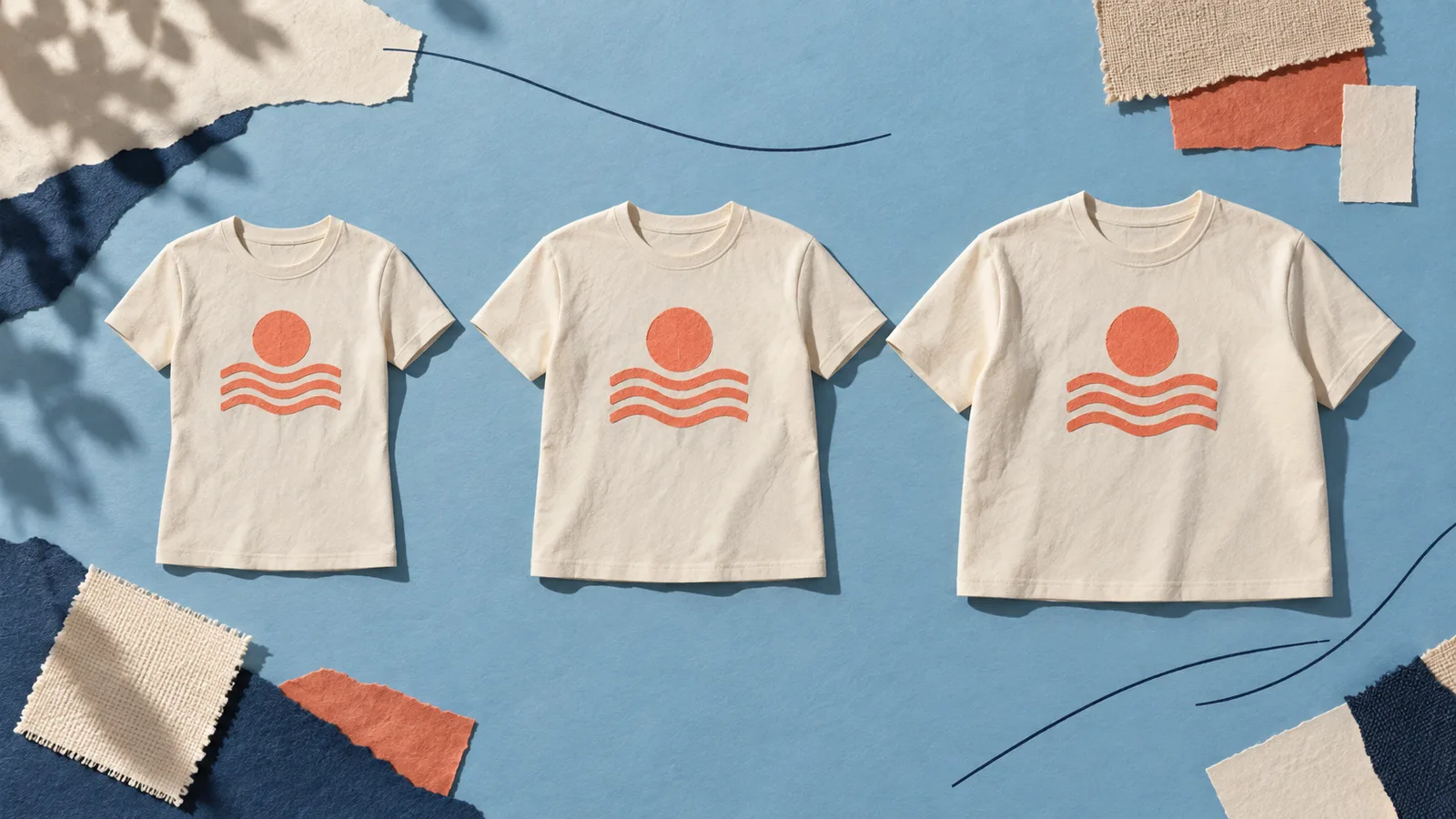
The same print width can look prominent on a narrow T-shirt and more restrained on a wider one. Review print dimensions, placement and size-related appearance separately. A preview for one size does not automatically show how the full size range will look.
The Shirtee.Cloud FAQ on print areas describes this relative effect using an unchanged print area across different shirt sizes. The German FAQ dates from 2020. Use it to understand the principle; check the current configuration of your specific product for its permitted dimensions and positions.
Print dimensions and visual proportion are different measurements
Design width is an absolute measurement, for example in centimetres. Visual proportion describes how much of the visible shirt the design occupies. Both are useful, but they are not interchangeable.
Consider this original, simplified calculation. A design measures 20 centimetres across. On a shirt laid flat at 50 centimetres wide, that equals 40 percent of its width. On a 60-centimetre-wide shirt, it equals about 33 percent. The design has not changed; its relationship to the available surface has.
| Fictional shirt | Flat width | Design width | Calculated proportion |
|---|---|---|---|
| A | 50 cm | 20 cm | 40% |
| B | 60 cm | 20 cm | About 33% |
These figures are not Shirtee.Cloud product measurements or recommendations for a particular print area. Flat measurements do not replace an on-body view either. Cut, folds and posture also affect the visible result.
Define the intended appearance before configuring production
Should the design retain the same physical dimensions across every variant? Or should it occupy a similar proportion of the front? Those goals can lead to different design decisions.
A small chest symbol may deliberately remain one consistent size. For a large illustration, you may want to compare several design widths. This does not establish that your order configuration can automatically process different files or dimensions by variant. First confirm which mapping is actually supported and how you can configure and verify it.
If the setup uses one design size, choose a deliberate compromise for the offered range. Where necessary, limit the initial selection to variants whose appearance you have meaningfully assessed. Do not silently change the artwork for individual sizes while every product image shows the same execution.
A clear reference point makes placement reviewable
“Slightly higher” and “centred” are insufficient for a documented approval. Record which area defines the centre and which reference point defines a measured distance. Use the references and templates provided for the actual product configuration; a line you draw on a mockup is not a production specification.
Also distinguish the edge of the file from the edge of the visible design. Transparent margins can mean that a file of the same nominal width contains smaller visible artwork. The guide to preparing print files explains the foundations of export and dimensions.
Keep at least the following information together for each approval:
- Product and variant, including size and colour;
- Template used and its version;
- File version and visible design width and height;
- Agreed placement reference point;
- Associated preview or sample photograph and the review outcome.
Compare a deliberate selection of sizes
Start with a small, medium and large variant from the range you actually offer. This selection is an original planning aid, not a comprehensive quality guarantee for every size. Check additional variants where the cut or print area differs materially.
First compare flat views under similar conditions. Add appropriate on-body views when they help you assess the actual proportions or explain them to customers. A digitally resized design on a single photograph does not demonstrate that the depicted version has been produced.
Make the image type clear on the product page and associate pictures with the correct variant. The advice on mockups and product photography helps you make that distinction.
When is placement settled?
A sound decision connects the design to its specific configuration: the selected file fits the permitted area, the position is described clearly, and the reviewed views match the version being offered. Resolve outstanding questions before approval.
If the shirt model, template or design dimensions change later, review that connection again. A familiar filename does not guarantee that previously approved artwork will retain the same appearance on a different cut.
AI-generated size study; not a scale drawing of the calculation or a depiction of specific catalogue products.