Creator 2.0 STTU169: Assess the model for your merch idea
The Creator 2.0 by Stanley/Stella carries the model code STTU169. The manufacturer describes it as a unisex T-shirt with a medium fit and a fabric weight of 180 g/m². For a merchandise project, that provides a specific starting point: you can assess fit, artwork and product information against an identifiable model instead of simply searching for a “classic shirt”.
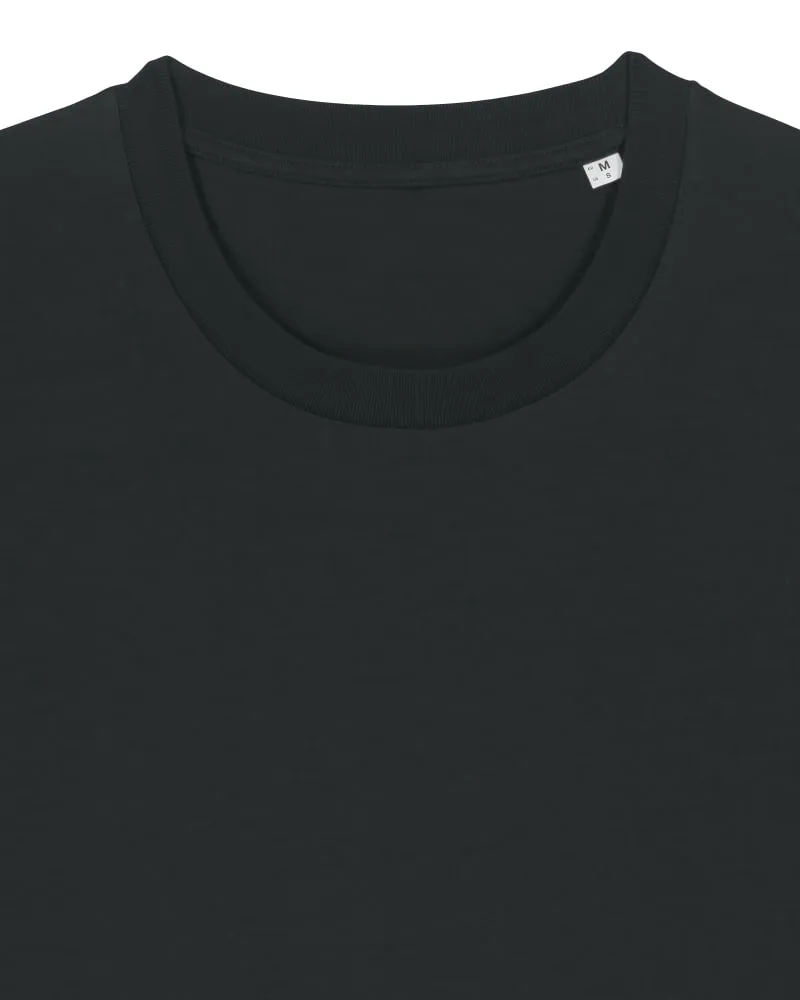
Cover image: Official Stanley/Stella original photograph of the Creator 2.0 STTU169 in Black, showing the neckline detail. Image credit: Stanley/Stella. The photograph does not confirm current availability of a particular colour and size combination.
What identifies the model
The Shirtee.Cloud model page lists the Creator T-Shirt 2.0 under the same STTU169 code. The official manufacturer page also specifies single jersey, set-in sleeves and a ribbed neckline. These details describe the base model. Check the actual offered variant and its current information separately.
Keep the model code with your design documents. A name such as “Creator” alone is less precise when reordering or replacing a file later. Add the specific colour, size and decoration once they are confirmed. This connects the image, sample and product description to the same item.
The official detail photograph shows the round neckline and its construction. It can illustrate that part of the blank garment. It cannot establish the fit on a particular person or the appearance of artwork that will be added later.
Relate medium fit to your project
Medium Fit is the manufacturer's fit designation. It becomes useful for your selection when combined with actual measurements and the silhouette you want. Write down how you intend to present the merchandise: close to the body, with some ease or deliberately generous. Then compare a reference shirt that fits as intended with the current size chart for the selected item.
Measure under comparable conditions and record which measurement you are comparing. A width measured flat is not the same as body circumference. A familiar size label does not replace this comparison either. If the desired fit remains unclear, make that the question your sample should answer; do not choose solely by a product name.
The 180 g/m² fabric weight is also a limited piece of information. It describes mass per area of fabric, not the weight of every finished shirt. It does not establish a particular opacity or a universal judgement of quality. Your decision also depends on feel, fit and the intended decoration on the actual item.
Develop an original merchandise idea around the model
Our fictional example is “City Pause”: a shirt for a small series of urban drawings. The concept uses a quiet wordmark and an original rooftop silhouette. This is a design idea, not an already manufactured product or a reported sales result.
First decide what role the shirt should play. Should people discover the wordmark at close range, or should the illustration create the first impression? That decision affects the visual hierarchy. Next, propose the intended artwork size and placement, then compare them with the requirements of the actual configuration offered.
A short model card keeps the unresolved decisions together:
| Decision | Entry for “City Pause” | Next evidence needed |
|---|---|---|
| Base model | Creator 2.0, STTU169 | Match the code to the offer |
| Intended fit | Everyday shirt with deliberately chosen ease | Assess measurements and sample |
| Artwork role | Rooftop silhouette as the main motif | Review the design at planned size |
| Product colour | Undecided | Check the actual variant and artwork effect |
| Decoration and placement | To be agreed | Confirm applicable product requirements |
The unresolved fields serve a purpose: they prevent an attractive initial sketch from silently becoming a finished product promise. You can replace them with checked information one step at a time.
Check colour and material for the actual variant
A manufacturer's catalogue and a particular Shirtee offer serve different purposes. The manufacturer's full collection does not establish that every colour and size is available in your intended configuration. Read the details for the specific variant you want to select.
Use matching, current information for material composition, care and other properties. A general model description is not enough for every colour variant. In the “City Pause” example, those fields remain open until the selection is settled. Similarly, do not carry prices or delivery estimates forward from an old screenshot.
If you plan several colours, treat each combination as a separate design decision. The guide to artwork colours on light and dark shirts shows how to preserve the relationship between the main shape, accent and open spaces.
Record the decision before launching
Keep the model code, variant, final file, placement and confirmed product information in a shared approval record. Add images that show the exact combination being offered. The manufacturer's photograph documents the undecorated base model; your own artwork needs a corresponding presentation.
Use the sample checklist to answer the unresolved questions deliberately. For the Creator 2.0, you might find that the intended fit works while the planned artwork size still needs adjustment. Record the observation specifically instead of assigning a sweeping characteristic to the entire model.
This turns a documented model profile into a traceable product selection: identify the base item, define your design and confirm the combination you will actually offer before launch.