Design deliberate colour versions for light and dark shirts
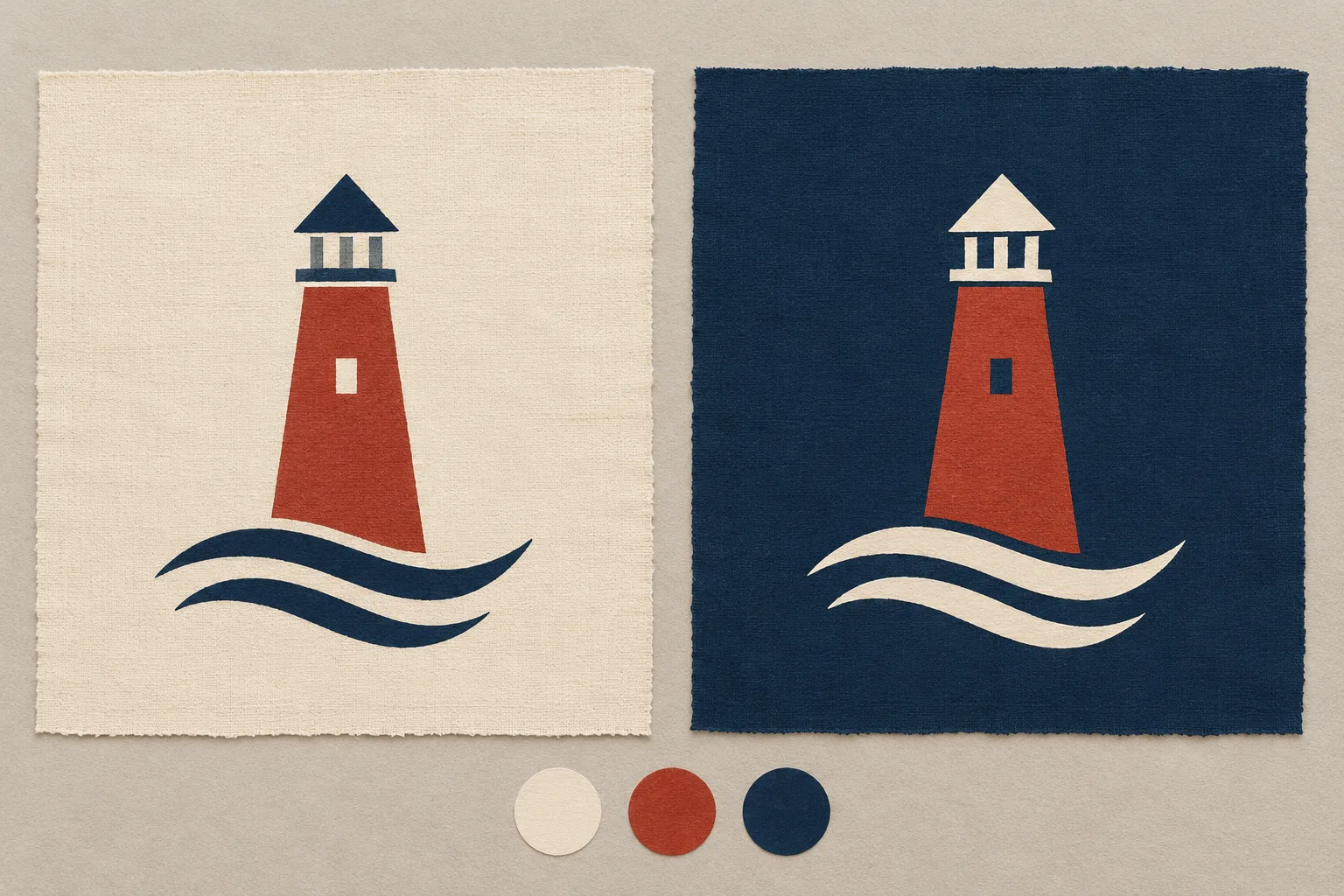
A design does not necessarily need the same colours on a light shirt and a dark one. It needs the same recognisable idea. Divide the artwork into its main shape, accent and open spaces. Then decide which elements should remain visible, change colour or reveal the fabric for each garment colour. This produces two deliberate versions instead of an accidentally inverted file.
Cover image: AI-generated design illustration showing two colour versions of an invented lighthouse motif. It does not depict an available catalogue product or a verified print result.
Define the visual idea before changing colours
Our original exercise uses a small lighthouse above two wave strokes. The tower provides the main shape, its red body supplies the accent, and the roof and waves establish orientation. A cut-out window reveals the background colour. These roles matter more than individual colour values on a screen.
Before editing, write a short recognition statement: “The red tower with a small window stands above two clearly separated waves.” Check every later version against it. If a wave disappears or the window becomes a solid area, you have changed more than the colour.
The Shirtee.Cloud product overview lists T-shirts as a product category. For a real project, choose a specific model with confirmed colours and decoration requirements. Ivory and midnight blue describe the design backgrounds used here; they do not promise particular catalogue variants.
Use a role map to compare versions
Place two artboards beside each other. Keep the artwork size, spacing and shapes identical initially. Change only the colour assignments. Our example produces this role map:
| Element | Light background | Dark background | What stays the same |
|---|---|---|---|
| Tower body | Brick red | Brick red | Shape and accent role |
| Roof and waves | Midnight blue | Ivory | Outline and order |
| Window opening | Background visible | Background visible | Cut-out shape and position |
| Space around the motif | No additional colour block | No additional colour block | Open composition |
This explains why inverting every colour is not our goal. The red accent should remain. Only elements that need separation from the background change deliberately. A different design might benefit from a solid light area. In that case, create and check it as an intentional new printed area in the file.
Open space is part of the design
A cut-out opening has no fixed visible colour. It looks light on light fabric and dark on dark fabric. That is intentional for our window. In a face illustration, the same change could substantially alter how eyes or a mouth are perceived. Examine internal spaces as carefully as outer contours.
Reduce both views together to the intended store display size. Can you still distinguish the tower, window and waves? Briefly hide one version and describe the other using your recognition statement. This is a simple original design exercise, not an objective print test. It helps reveal whether you have drifted into two different visual ideas.
If a detail disappears, first adjust that shape or its spacing. Adding more colours does not automatically fix poorly separated details. Save a second version so you can trace the effect of the change.
Three views support a specific decision
Compare the designs in three situations: a larger working view, the planned artwork size and a small product tile. Each answers a different question. The working view shows clean shapes, the final size shows intended proportions, and the tile shows whether the visual idea remains understandable in limited space.
Use the same crop and scale in every comparison. A larger motif often looks clearer without having a better colour assignment. A paper print can help you understand size. It does not establish the appearance on fabric, ink opacity or colour matching.
Record a concrete observation instead of “looks good”: “The lower wave remains separately visible on both backgrounds.” Beside it, record the unresolved check: “Inspect the sample to confirm that the window opening remains clear.” This keeps a design decision distinct from a confirmed production characteristic.
Connect each design version to the right product file
Create an unambiguous record for every approved combination: model identifier, actual product colour, artwork version, placement and production file. Example working names are lighthouse_light_v03 and lighthouse_dark_v03. These are design names, not substitutes for product identifiers.
After uploading, check that each variant has the correct file. The store image should show that same assignment. A light-background preview attached to a dark garment variant can mislead customers about the design even when the production file itself is correct.
The existing guide to print files covers resolution, transparency and export. Whether a white underbase is needed and how it is prepared depend on the actual process and its requirements. Do not add one solely because of this colour sketch.
When is a colour version ready for the store?
The design review is complete when the main shape, accent and open spaces work deliberately, and each product variant has its corresponding file and presentation. Before making concrete claims about the print result, carry out a sample review on the chosen item.
Assess both versions under comparable conditions. Record any differences together with the model, colour and file version. You do not need to promise an identical effect on different fabric colours. A well-designed family of variants preserves the shared visual idea and honestly shows how each individual combination looks.