Printed knit-look designs: Build a winter motif from drawn stitches
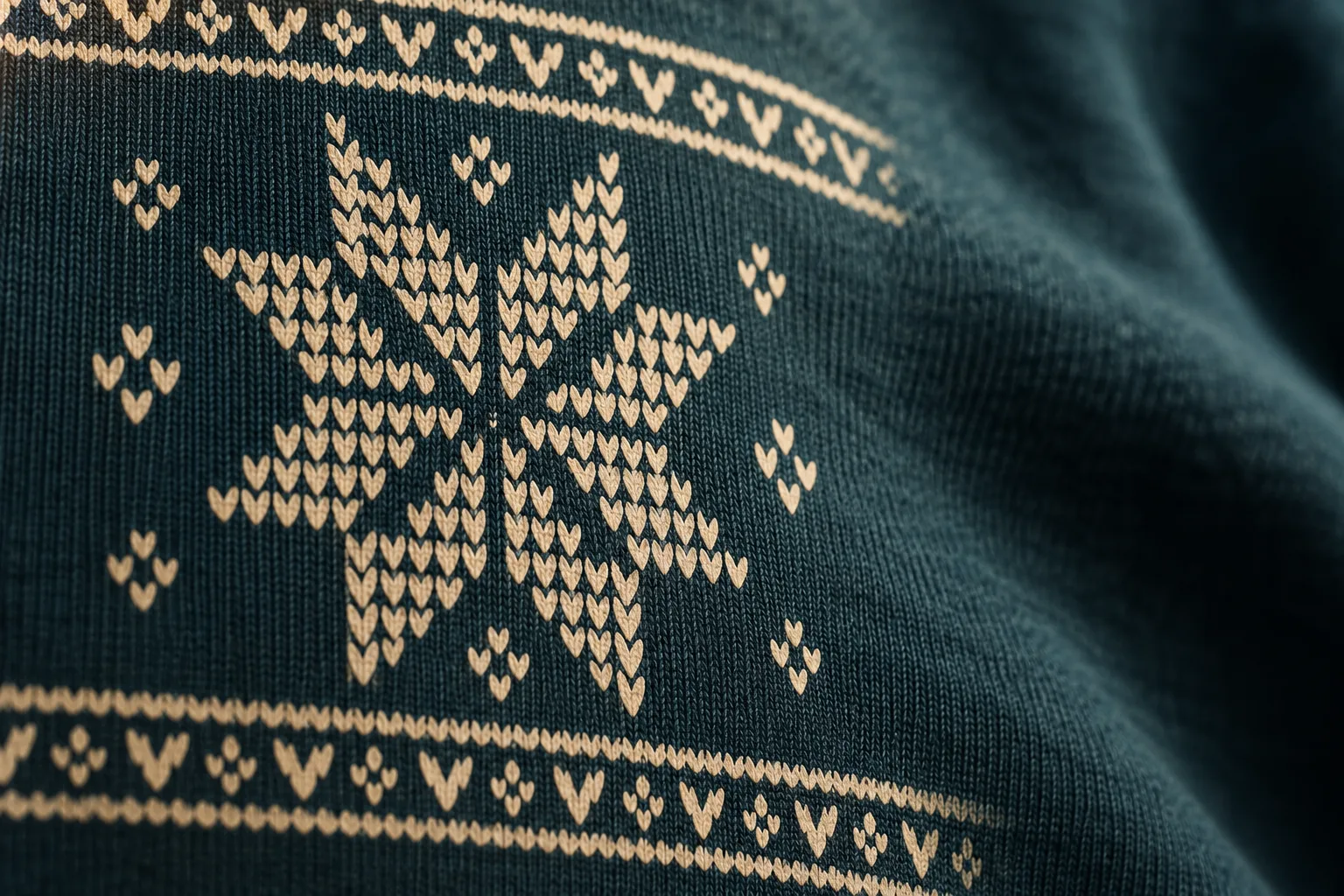
A winter design can look like a knitting pattern while remaining a printed graphic. Draw repeated shapes that suggest stitches, then arrange them into an original ornament. The priorities are a readable motif at its intended print size and a product description that distinguishes the graphic from the actual manufacturing process. Printed stitches do not turn into a knitted-in pattern.
Cover image: AI-generated symbolic view of a knit-look graphic on fabric. Not an actual product photograph or evidence of a particular print result.
What does knit-look mean in a printed design?
In this approach, the drawing creates the effect: small V shapes, rows and deliberately open spaces. The motif describes an appearance, not how the garment was made. Whether the base fabric is itself knitted is a separate material specification. Embroidery is also a different decoration process; drawn stitches are not embroidered threads.
For a proposed sweatshirt, “Sweatshirt with a printed knit-look winter design” could be an accurate description once the product and print configuration are confirmed. “Hand-knitted Christmas jumper” would describe something different. Similarly, an image should not suggest raised woollen threads when the real design is simply printed.
The Shirtee.Cloud product overview lists sweatshirts as a product category. That does not confirm a specific model, colour, knit construction or printing configuration. Choose the actual item and its supported decoration before turning the concept into an offer.
Build an original star from a few elements
Start with an eight-point star silhouette you have drawn yourself. Place a regular grid over it and put a small V in each occupied cell. Leave the gaps open. The star should already be understandable as a simple silhouette; the stitch-like appearance adds detail to that shape.
One original composition could consist of a central star, two narrow horizontal borders and a few small diamonds. Keep the borders clearly separated from the star. This gives the main motif room, while repeated elements create a wintry ornamental effect. You do not need a familiar Christmas slogan or someone else's character.
Save three concepts with the same outer shape: a dense version with many small marks, a reduced version with larger marks, and an almost solid version with only a few openings. Change only the density at this stage. If colour, size and the star shape all change together, it becomes difficult to identify which adjustment helped.
Check the drawing at its intended viewing size
A highly magnified screen view reveals details that may barely be visible on a garment. Choose a proposed artwork width early and make a paper study at that size. Check the printed scale with a ruler; a “fit to page” setting can distort the comparison.
An original calculation provides a useful reference: at an artwork width of 24 centimetres and 40 equally sized grid columns, each column is 6 millimetres wide. This is a design calculation, not a technical minimum. The V itself and its inner opening are smaller than the column. Whether both survive the selected process must be checked against the specific requirements and a sample.
Look at the paper study from an ordinary viewing distance before inspecting it closely. If you see the star first and the smaller shapes second, the hierarchy works for this test. If everything merges into a busy patch, reduce the number of elements or enlarge the open spaces between them.
Assess colour and pattern separately
Test the same drawing on a light and a dark design background. A cream graphic on dark teal has a different effect from a dark graphic on a light background. Do not simply reuse the same preview for both product colours. The open parts of the motif reveal the background if the file and print process implement them that way.
A screen preview initially helps you assess the composition. It does not establish colour accuracy, opacity or feel. For technical questions about the file and output, use the confirmed product requirements and the print file preparation guide. The overview of DTG, DTF and embroidery can then help you identify the relevant decoration questions.
Turn the motif into an accurate product presentation
Photograph an actual checked sample in both an overall view and a close-up. The overall view shows the position of the star; the close-up should reveal the real surface. Artificially adding texture to a graphic is no substitute for that detail photograph. The symbolic cover above serves only to explain the design principle.
Keep four items together for approval: the product configuration, the versioned artwork file, the proposed print dimensions and the checked presentation. Add a short observation, such as “The inner openings remain visible in version B; simplify the lower border.” This gives the next revision a clear purpose.
Does a knit-look design need as much detail as possible? No. For a small print, a calmer drawing may communicate the intended effect more clearly. The useful level of detail depends on design size, process and sample review.
Can you sell the motif as knitted? A picture of a stitch does not justify that description. Describe the confirmed product and its actual decoration. Develop a convincing ornament first, then show accurately how it is implemented on the real item.